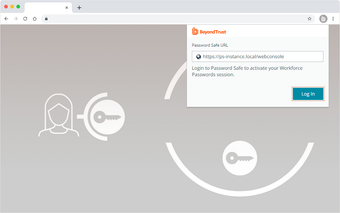
Enterprise browser credential manager integrated with BeyondTrust PAM
BeyondTrust Workforce Passwords, developed by BeyondTrust Corporation, is an enterprise password manager that secures non-privileged employee credentials for business applications. It captures, vaults, and injects credentials in-browser, autofilling logins and discovering new passwords into a personal folder inside the Secrets Safe to replace spreadsheets and notes. The extension includes audit trails, policy enforcement, and shadow IT monitoring, aimed at IT security teams needing administrable credential control within users' browsers.
What the extension does inside the browser
Workforce Passwords installs as a browser extension that captures, vaults, and injects credentials directly into business applications. The extension discovers new logins and saves them to a personal folder inside the Secrets Safe, removing ad hoc storage methods such as spreadsheets and text files. It operates in Firefox and other supported browsers, and requires a Password Safe base installation at version 23.2 or later to function.
How it supports oversight and compliance workflows
BeyondTrust designed Workforce Passwords to give administrators visibility into everyday credentials through built-in audit trails, entitlement reporting, and policy enforcement. Auditing and reports track password usage and entitlements, which supports regulatory workflows and internal reviews. Shadow IT monitoring flags unmanaged application access by observing credential activity. These capabilities address credential governance across an organization's application footprint rather than endpoint malware protection.
How deployment and configuration behave at scale
Enterprise deployment aligns with standard Windows management: administrators can push the extension with Group Policy Objects, and the extension supports mainstream browsers including Firefox. Workforce Passwords requires an add-on license and the Password Safe backend, so IT teams must provision the base platform before rollout. Initial setup of the parent Password Safe can be involved, which places most configuration work on security and infrastructure staff.
A pragmatic choice with an administrative privacy trade-off
Workforce Passwords draws positive user praise for centralizing business credentials and improving security posture. Because administrators can recover entries stored in personal folders, organizations should define restricted recovery roles and publish clear privacy policies before rollout. Plan training and communication to reduce user pushback; that preparation reduces rollout friction and helps align the extension with teams accepting administrative control for compliance purposes.